
QuickBooks & Salesforce Inegration
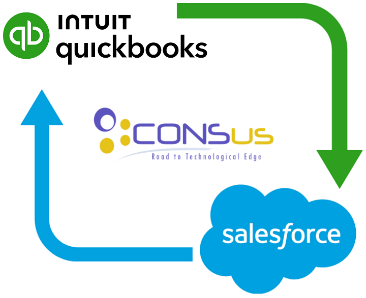
We integrate QuickBooks accounting software with Salesforce CRM to streamline your business operations. By connecting sales and accounting data such as customer details, orders, expenses, and invoices we eliminate duplicate data entry, reduce errors, and save time. This integration ensures smooth collaboration between your sales and accounting teams, giving you clear insights into your business and helping you make informed decisions faster.
Key Features
-
Integrate CRM and accounting
Automated reminders and reconciliation
Complete visibility on business and cash flow
Run analytics from within Salesforce
Synchronize Invoice, Estimate, Order, Payments and balance data from QuickBooks
Related Product



Salesforce CRM + QuickBooks Integration Experts
Salesforce QuickBooks Integration Services
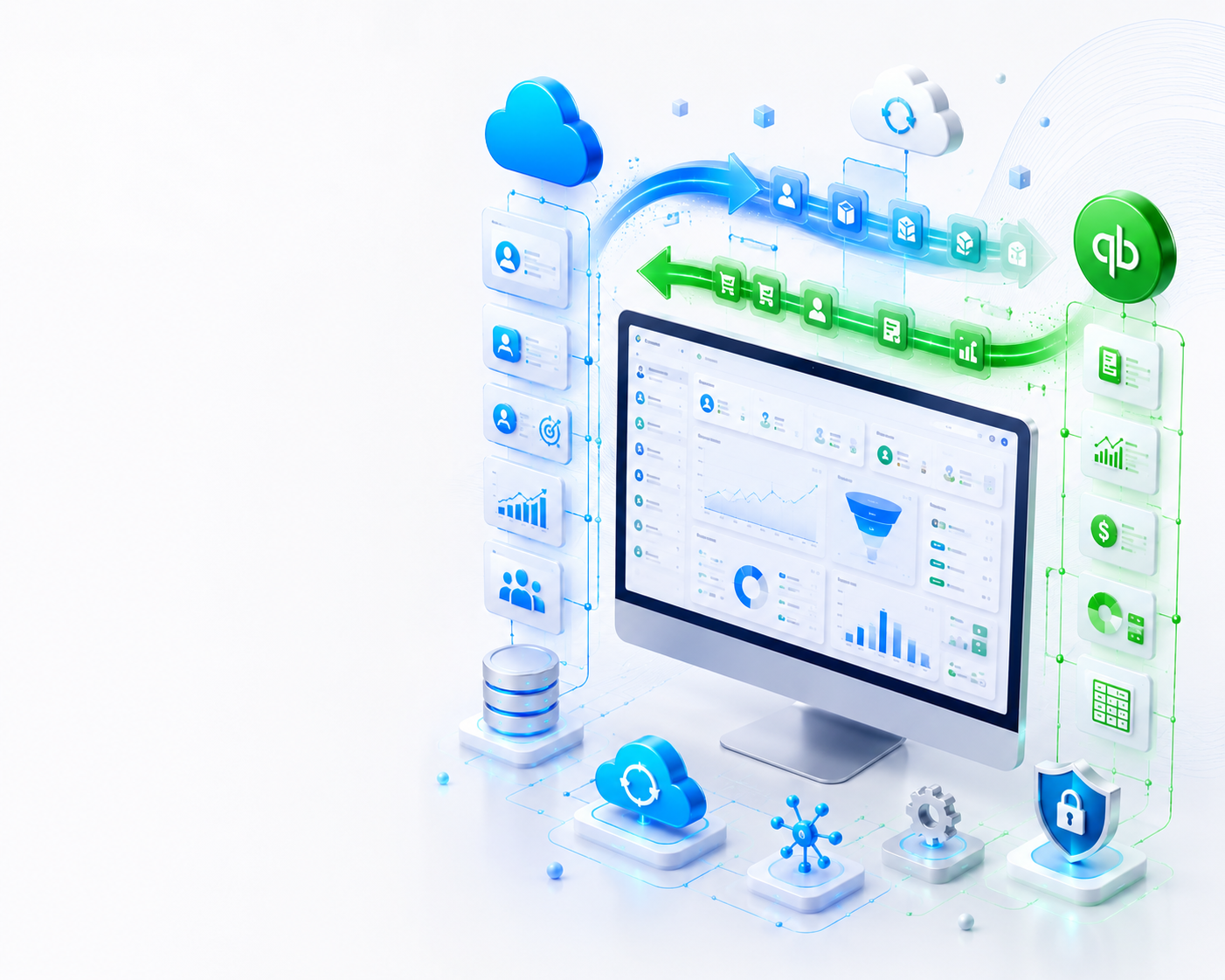
Automate your sales and accounting processes with our two-way Salesforce QuickBooks Integration services. We securely connect Salesforce CRM with QuickBooks Online and QuickBooks Desktop, allowing business data to synchronize automatically in both directions. Whether customer records, invoices, products, sales orders or payments are created in Salesforce or QuickBooks, they remain synchronized across both systems in real time. Reduce manual data entry, eliminate duplicate records and improve financial accuracy with a secure bi-directional integration tailored
✔ Two-Way Data Synchronization
✔ Salesforce CRM Integration
✔ QuickBooks Online
✔ QuickBooks Desktop
✔ Customer Sync
✔ Invoice Synchronization
✔ Product Synchronization
✔ Payment Synchronization
✔ Sales Order Sync
✔ Ongoing Technical Support
Professional Salesforce QuickBooks Integration Solutions
Salesforce CRM is one of the world's leading customer relationship management platforms, while QuickBooks is trusted by businesses for accounting and financial management. Many organizations struggle with duplicate data entry because customer information, invoices and payment details need to be entered separately into both systems. This manual process increases operational costs, consumes valuable time and often results in inaccurate financial records.
Our Salesforce QuickBooks Integration Services eliminate these challenges by creating a secure bi-directional synchronization between Salesforce CRM and QuickBooks. Information entered into Salesforce can automatically update QuickBooks, while changes made in QuickBooks can also synchronize back into Salesforce. This ensures that both your sales team and accounting department always work with accurate, real-time business information.
Whether you use QuickBooks Online or QuickBooks Desktop, we build customized integration solutions that automate customer synchronization, invoice creation, payment updates, product synchronization, sales order management and financial reporting. Our integration solutions are designed to improve efficiency, reduce manual work and help your business scale with confidence.
Our Salesforce QuickBooks Integration Services
We develop secure, scalable and fully customized Salesforce QuickBooks integration solutions that synchronize data in both directions. Every integration is tailored according to your sales process, accounting workflow and reporting requirements.
Two-Way Salesforce QuickBooks Integration
Synchronize customer records, invoices, payments, products and sales data automatically between Salesforce CRM and QuickBooks in both directions.
QuickBooks Online Integration
Connect Salesforce CRM with QuickBooks Online using secure APIs for real-time business data synchronization.
QuickBooks Desktop Integration
Build reliable integrations for QuickBooks Desktop using the QuickBooks SDK and Web Connector.
Customer & Contact Synchronization
Automatically synchronize Accounts, Customers and Contacts between Salesforce CRM and QuickBooks.
Invoice & Payment Synchronization
Keep invoices, payment status and financial records synchronized across both systems without manual updates.
Product & Sales Order Synchronization
Synchronize products, sales orders and inventory-related information to maintain consistent business data.
Custom Workflow Automation
We customize the synchronization process according to your unique CRM, accounting and business workflows.
API Development & Integration
Develop secure REST API integrations between Salesforce and QuickBooks with enterprise-grade performance.
Maintenance & Technical Support
Continuous monitoring, troubleshooting, API updates and long-term support ensure your integration remains stable and secure.
Benefits of Two-Way Salesforce QuickBooks Integration
A bi-directional Salesforce QuickBooks Integration allows information to flow automatically between your CRM and accounting software. Instead of entering the same data twice, both Salesforce and QuickBooks stay synchronized in real time. This improves business efficiency, reduces manual work and ensures that your sales and finance teams always have access to accurate and up-to-date information.
✔ Two-Way Data Synchronization
Changes made in Salesforce automatically update QuickBooks, while updates made in QuickBooks synchronize back to Salesforce, ensuring both systems always contain identical business information.
✔ Eliminate Duplicate Data Entry
Avoid entering customers, invoices, products and payment details into multiple systems. Automation saves valuable time and reduces human errors.
✔ Real-Time Customer Synchronization
Customer accounts, contacts and business information remain synchronized across Salesforce CRM and QuickBooks without manual updates.
✔ Automatic Invoice Synchronization
Invoices created in Salesforce can automatically appear in QuickBooks, while accounting updates in QuickBooks remain available inside Salesforce.
✔ Payment Synchronization
Payment status, customer balances and financial transactions remain synchronized between Salesforce CRM and QuickBooks.
✔ Product Synchronization
Maintain consistent product information by synchronizing products and pricing between Salesforce and QuickBooks.
✔ Better Financial Reporting
Keep accounting records accurate so your reports, dashboards and financial statements always reflect the latest business transactions.
✔ Increased Productivity
Sales teams can focus on customers while accounting teams work with automatically synchronized financial data instead of manual administration.
✔ Secure API-Based Integration
Our integration uses secure authentication and enterprise-grade API communication to protect sensitive business and financial information.
Powerful Features of Our Salesforce QuickBooks Integration
Our Salesforce QuickBooks Integration is designed to automate business operations through secure two-way synchronization. Information entered into either Salesforce CRM or QuickBooks is automatically synchronized according to your workflow, helping your sales and accounting teams work with accurate, real-time data.
⇄ Bi-Directional Customer Synchronization
Automatically synchronize customer records, accounts and contacts between Salesforce CRM and QuickBooks. Changes made in either system are reflected in the other.
⇄ Two-Way Invoice Synchronization
Automatically create and synchronize invoices between Salesforce and QuickBooks while maintaining complete accounting accuracy.
⇄ Payment Synchronization
Customer payments, payment status and financial transactions remain synchronized between Salesforce CRM and QuickBooks.
⇄ Product Synchronization
Synchronize products, pricing and inventory-related information to keep both systems consistent.
⇄ Sales Order Synchronization
Automatically synchronize sales orders between Salesforce CRM and QuickBooks without manual processing.
⇄ Opportunity & Quote Synchronization
Synchronize Salesforce opportunities and quotes with your accounting workflow according to your business requirements.
⚡ Real-Time Data Synchronization
Keep Salesforce CRM and QuickBooks updated in real time, ensuring both departments always work with the latest business information.
🔒 Secure API Communication
Enterprise-grade authentication and encrypted API communication protect your sensitive business and financial data.
⏰ Scheduled Synchronization
Run synchronization automatically at predefined intervals or according to your preferred business schedule.
🛡 Conflict Detection & Validation
Identify duplicate or conflicting records before synchronization to maintain clean and reliable business data.
📊 Financial Data Synchronization
Synchronize invoices, payments, customer balances and accounting transactions to improve financial reporting.
⚙ Custom Workflow Automation
Every integration is customized to match your existing Salesforce CRM processes and QuickBooks accounting workflow.
Supported Salesforce Objects & QuickBooks Data Synchronization
Our Salesforce QuickBooks Integration supports secure bi-directional data synchronization, allowing information to move automatically between Salesforce CRM and QuickBooks Online or QuickBooks Desktop. Depending on your business workflow, records can be synchronized from Salesforce to QuickBooks, QuickBooks to Salesforce or in both directions.
Salesforce CRM Objects
QuickBooks Data
Synchronization Options
How Our Two-Way Salesforce QuickBooks Synchronization Works
Our integration continuously monitors both Salesforce CRM and QuickBooks. Whenever a record is created or updated in one application, the integration validates the information and automatically synchronizes it with the other system according to your business rules.
Create or Update Data
A customer, invoice, payment or product is created or updated in Salesforce or QuickBooks.
Data Validation
The integration validates records, prevents duplicate entries and checks required fields.
Secure API Synchronization
The information is securely synchronized using Salesforce APIs and QuickBooks APIs.
Systems Stay Updated
Both Salesforce CRM and QuickBooks instantly reflect the latest business information.
Our Salesforce QuickBooks Integration Process
Every business has different CRM and accounting workflows. That's why we don't use a one-size-fits-all approach. Our Salesforce QuickBooks Integration services are designed around your existing business processes to ensure secure, reliable and fully automated two-way synchronization between Salesforce CRM and QuickBooks. From planning and API development to deployment and ongoing support, every stage is carefully managed by our experienced integration specialists.
Business Requirement Analysis
We begin by understanding your existing Salesforce CRM workflow, QuickBooks environment and business objectives. Our team analyses how customer records, invoices, products, payments, sales orders and financial data should move between both systems.
Workflow & Data Mapping
We identify every object that needs synchronization including Accounts, Contacts, Customers, Products, Opportunities, Quotes, Sales Orders, Invoices and Payments. Custom fields and business rules are also mapped to ensure accurate two-way synchronization.
Secure API Development
Our developers build secure API integrations using Salesforce APIs and QuickBooks APIs. Authentication, encryption and validation mechanisms are implemented to ensure reliable communication between both platforms.
Two-Way Synchronization Setup
We configure bi-directional synchronization so updates made in Salesforce automatically appear in QuickBooks, while changes made in QuickBooks are synchronized back into Salesforce according to your workflow requirements.
Testing & Quality Assurance
Every synchronization process is tested thoroughly to verify data accuracy, eliminate duplicate records and ensure invoices, payments, customers and products are synchronized correctly between both applications.
Deployment, Monitoring & Support
After successful testing, we deploy the integration and continue monitoring its performance. We also provide ongoing maintenance, API updates, troubleshooting and technical support to ensure your Salesforce QuickBooks Integration remains secure and reliable.
Why Choose Consus Solutions for Salesforce QuickBooks Integration?
Choosing the right integration partner is essential for maintaining accurate business data and reliable automation. At Consus Solutions, we specialize in developing secure, scalable and fully customized Salesforce QuickBooks Integration solutions that synchronize data in both directions. Our goal is to help businesses automate sales and accounting processes while improving operational efficiency, reducing manual work and ensuring data consistency across Salesforce CRM and QuickBooks.
✔ Salesforce & QuickBooks Integration Specialists
Our team has extensive experience building custom integrations between Salesforce CRM and QuickBooks Online as well as QuickBooks Desktop. We understand CRM workflows, accounting processes and API-based synchronization.
✔ True Two-Way Synchronization
Unlike one-way integrations, our solutions support true bi-directional synchronization. Data entered into Salesforce updates QuickBooks automatically, while changes made inside QuickBooks are synchronized back into Salesforce without manual intervention.
✔ Completely Customized Workflow
Every business has unique sales and accounting requirements. We build integrations according to your existing workflow, ensuring the synchronization process matches your business rules instead of forcing you to change your operations.
✔ Real-Time & Scheduled Synchronization
Whether you require real-time synchronization or scheduled updates, our integration can automatically transfer customer information, invoices, products, payments and sales orders between Salesforce and QuickBooks.
✔ Enterprise-Grade Security
Security is integrated into every project. We implement OAuth authentication, encrypted API communication, secure access controls and validation mechanisms to protect your CRM and financial data.
✔ QuickBooks Online & Desktop Support
We develop integration solutions for both QuickBooks Online and QuickBooks Desktop, allowing businesses to automate accounting regardless of the QuickBooks version they use.
✔ Scalable API Architecture
Our API architecture is designed for long-term growth. As your business expands, new synchronization rules, custom fields and business processes can easily be added without rebuilding the entire integration.
✔ Continuous Maintenance & Support
Our relationship doesn't end after deployment. We provide ongoing maintenance, performance monitoring, troubleshooting, API updates and technical support to keep your Salesforce QuickBooks Integration running smoothly.
✔ Improved Productivity & Business Efficiency
By automating customer synchronization, invoice creation, payment updates and accounting workflows, your sales and finance teams spend less time on manual work and more time growing your business.
Trusted Salesforce QuickBooks Integration Partner
At Consus Solutions, we don't just connect Salesforce and QuickBooks—we build intelligent business automation solutions that help organizations eliminate duplicate data entry, improve financial accuracy and maintain synchronized information across departments. Our integrations are secure, scalable and customized to support your current workflow while providing the flexibility to grow with your business.
Technologies & Platforms We Support
Our Salesforce QuickBooks Integration solutions are built using secure Microsoft technologies, Salesforce APIs and QuickBooks SDKs. We develop scalable integration applications capable of synchronizing business data in both directions while maintaining performance, security and long-term reliability.
Microsoft Technologies
- ASP.NET Core
- .NET Framework
- C# Development
- SQL Server
- REST API Development
- Windows Services
- Background Workers
Salesforce Technologies
- Salesforce REST API
- Salesforce SOAP API
- Salesforce CRM
- OAuth Authentication
- Connected Apps
- Custom Objects
- Custom Fields
QuickBooks Technologies
- QuickBooks Online API
- QuickBooks Desktop SDK
- QuickBooks Web Connector
- QBXML
- OAuth 2.0
- Financial Data Synchronization
- Invoice Automation
Supported QuickBooks Versions
We build Salesforce QuickBooks Integration solutions for both cloud-based and desktop versions of QuickBooks. Whether your business uses QuickBooks Online or QuickBooks Desktop, we can create a secure two-way synchronization solution tailored to your accounting workflow.
QuickBooks Online Integration
Integrate Salesforce CRM with QuickBooks Online using secure REST APIs to synchronize customers, invoices, products, payments, sales orders and accounting information in real time.
QuickBooks Desktop Integration
Our developers build secure integrations using the QuickBooks Desktop SDK and Web Connector, enabling automatic synchronization between Salesforce CRM and QuickBooks Desktop.
Enterprise-Grade Security & Data Protection
Business and financial information should never be compromised. Our Salesforce QuickBooks Integration solutions follow industry best practices to ensure secure authentication, encrypted communication and reliable data synchronization between Salesforce CRM and QuickBooks.
🔒 OAuth Authentication
Secure authentication using OAuth to protect user access and API communication.
🛡 Encrypted API Communication
All business data is transferred securely using encrypted API communication channels.
⚙ Error Logging & Monitoring
Automatic logging helps identify synchronization issues quickly while maintaining data integrity.
✔ Duplicate Record Prevention
Validation rules prevent duplicate customers, invoices and products during synchronization.
Flexible Synchronization Options
Every business has different operational requirements. Our integration allows multiple synchronization methods so you can choose the workflow that best fits your organization.
Ready to Automate Salesforce & QuickBooks?
Stop wasting time on manual data entry and disconnected business systems. Our Salesforce QuickBooks Integration Services help businesses synchronize customer records, invoices, products, payments and sales orders automatically between Salesforce CRM and QuickBooks Online or QuickBooks Desktop. Whether you need one-way or true two-way synchronization, our team can build a secure integration that matches your business workflow.
Industries We Serve
Our Salesforce QuickBooks Integration solutions are designed for businesses across multiple industries. Every integration is customized according to your CRM processes, accounting workflow and operational requirements.
Why Businesses Choose Salesforce QuickBooks Integration
Businesses today rely on accurate, real-time information to make better decisions. By integrating Salesforce CRM with QuickBooks, organizations eliminate manual work, reduce accounting errors and ensure every department works with the same up-to-date business data.
📈 Faster Business Operations
Automate repetitive tasks and improve productivity by synchronizing information between Salesforce CRM and QuickBooks.
💰 Accurate Financial Records
Keep invoices, payments, customer balances and accounting records synchronized to improve reporting accuracy.
⚡ Better Customer Experience
Sales teams always have access to the latest customer and payment information, helping them provide faster customer service.
Let's Build Your Salesforce QuickBooks Integration
Whether you need Salesforce to QuickBooks synchronization, QuickBooks to Salesforce synchronization or a complete two-way integration, our experienced developers can build a secure, scalable and customized solution that perfectly matches your business requirements.
Get Started TodayFrequently Asked Questions
Find answers to the most common questions about our Salesforce QuickBooks Integration services. If you need additional information, feel free to contact our integration specialists.
Can Salesforce integrate with QuickBooks?
Yes. We develop secure Salesforce QuickBooks Integration solutions that automatically synchronize customer information, invoices, products, payments, sales orders and other business data between Salesforce CRM and QuickBooks.
Do you support two-way synchronization?
Yes. Our integrations support complete bi-directional synchronization, allowing data to move from Salesforce to QuickBooks and from QuickBooks back to Salesforce automatically.
Do you support QuickBooks Online?
Yes. We build custom integrations for QuickBooks Online using secure REST APIs and OAuth authentication.
Do you support QuickBooks Desktop?
Yes. We develop integrations for QuickBooks Desktop using the QuickBooks SDK and Web Connector.
Which data can be synchronized?
Depending on your business requirements, we can synchronize customers, contacts, invoices, products, estimates, sales orders, payments, customer balances, custom fields and additional business records.
Can the integration be customized?
Absolutely. Every integration is tailored to your workflow, allowing custom field mapping, business rules, synchronization schedules and automation processes.
Is the integration secure?
Yes. We use OAuth authentication, encrypted API communication and validation mechanisms to ensure secure data synchronization.
Do you provide support after deployment?
Yes. We provide ongoing maintenance, troubleshooting, API updates, monitoring and technical support to keep your integration running smoothly.
Related QuickBooks Integration Services
Looking for integrations with other business platforms? We also develop custom QuickBooks integration solutions for a wide range of CRM, ERP and eCommerce systems.